
Arsenic Life
Fifteen years ago there was an exciting paper about bacteria that could use Arsenic instead of Phosphorous, which was thitherto thought to be an essential ingredient to life and DNA.
Via Periodic Videos I just watched this fascinating interview with one of the authors about the recent retraction of the paper - not because there was misconduct or a major error, but because it turned out to be "likely wrong" and "exaggerated" in the interpretation of the data.
I think the authors are right in protesting this new, impossible to meet, retroactive standard. It is part of the scientific process to be wrong. Going back and retracting parts of the history is counterproductive.
Much more info and nuance in the interview - highly recommended!
What Do You Want?
AI-assisted programming significantly reduces the cost of building the wrong thing.
I had a similar thought the other day. Now that code just magically appears when you ask for it, you better ask for the right things. That includes several aspects, like the background knowledge to know what is feasable, the taste in judging the choices that the AI makes, and the general direction where you you are headed.
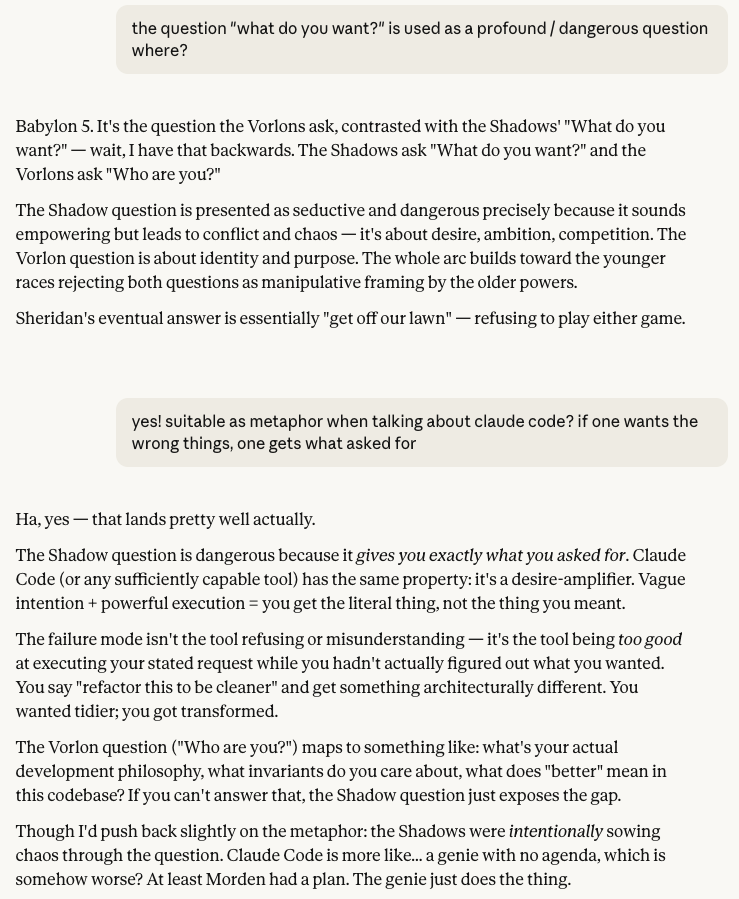
In other words: Knowing what you want. And that is a tricky question, as all 90s kids know.

Claude agrees this is a good metaphor for AI, but points out that the shadows used the question to actively sow chaos, while LLMs are more neutral.
The Ai Cope Bubble
There are very few things that I miss from not actively following Twitter anymore, but Anders Sandberg's posts are certainly among them. Luckily, he runs a blog too.
Quoting him on the cope bubble, that is the opposite of the hype bubble:
I often find people unable to comprehend that there can be a simultaneous hype bubble and real progress. But the cope bubble is more insidious: it is not telling you that people are full of misleading hype, but that there is nothing there. Hence no need to critically look for information, no interest in disconfirmation.
Where on this plot surface do you find yourself?
What The User Wants

Last night I re-watched Tron from 1982. And just now I glanced at Claude's thinking where it reasoned about what "the user" wants, that is me. This struck me as very similar to how the "programs" in Tron talk about the mythical "users", which they are not even sure exists and whose wishes need to be guessed. Very prescient of the film-makers!
Sysamin Claude
Claude Opus 4.5 is really good as coding agent, and I'm having a blast with it.
It's even more fun in "YOLO-mode", a.k.a. --dangerously-skip-permissions.
This way one does not need to approve anything; Claude gets to do whatever it
sees fit to get the job done. This enables longer tasks because it can do trial and error
on its own, and also requires less attention from us users.
Is it safe though? When will Claude mess up and delete important data? After all, unrestricted access to the command line is as powerful a tool as they come. I have no good answer here, so I recently looked into various ways to prevent the agent from doing damage. As far as I know, these are the common approaches:
- Using the online version that clones a git repo into its own sandbox
and has yolo-mode enabled by default. This is great when nothing outside the repo is needed
for the task, otherwise it becomes a hassle. Also, I just spent ten minutes figuring out why
a project did not run there while it does just fine locally: It turns out the sandbox runs an old ´uv´
that did not know about recent python versions, thus a quick
uv self updateresolved it. Still annoying. - Running in a container like Docker. The desktop version for Macs even has a dedicated command for
this:
docker sandbox run claude. Ultimately though, I don't like the friction this introduces. Suddenly one has to maintain the Dockerfile and what to install there, mounting directories or copy data back and forth, etc. - A separate local user, that lacks admin privileges, is another way to isolate the coding agent. Less friction than a container, since all installed software is still available, but still some overhead. For example setting up git & GitHub for a separate clone of the repos, since file ownership and permissions otherwise are a problem.
- Then there is the built-in sandbox of Claude Code. I cannot yet judge how much of a difference this really makes, especially considering how good Claude is at finding work-arounds when things do not go its way.
For now, I take the risk and run yolo-Claude on my laptop without a container or separate user. All code is under version control and pushed to remote. And I make sure to have frequent backups, just in case.
What I dont't do however, is run Claude with root-access on a remote server. It would most likely be fine for a while, until it would not. Claude makes a great sysadmin sidekick though: earlier today, the maintenance interface (iDRAC) of one of our servers hung itself and in this session Claude showed showed me how to reset it remotely, which I did not know before was possible.
From Forest To Lumber
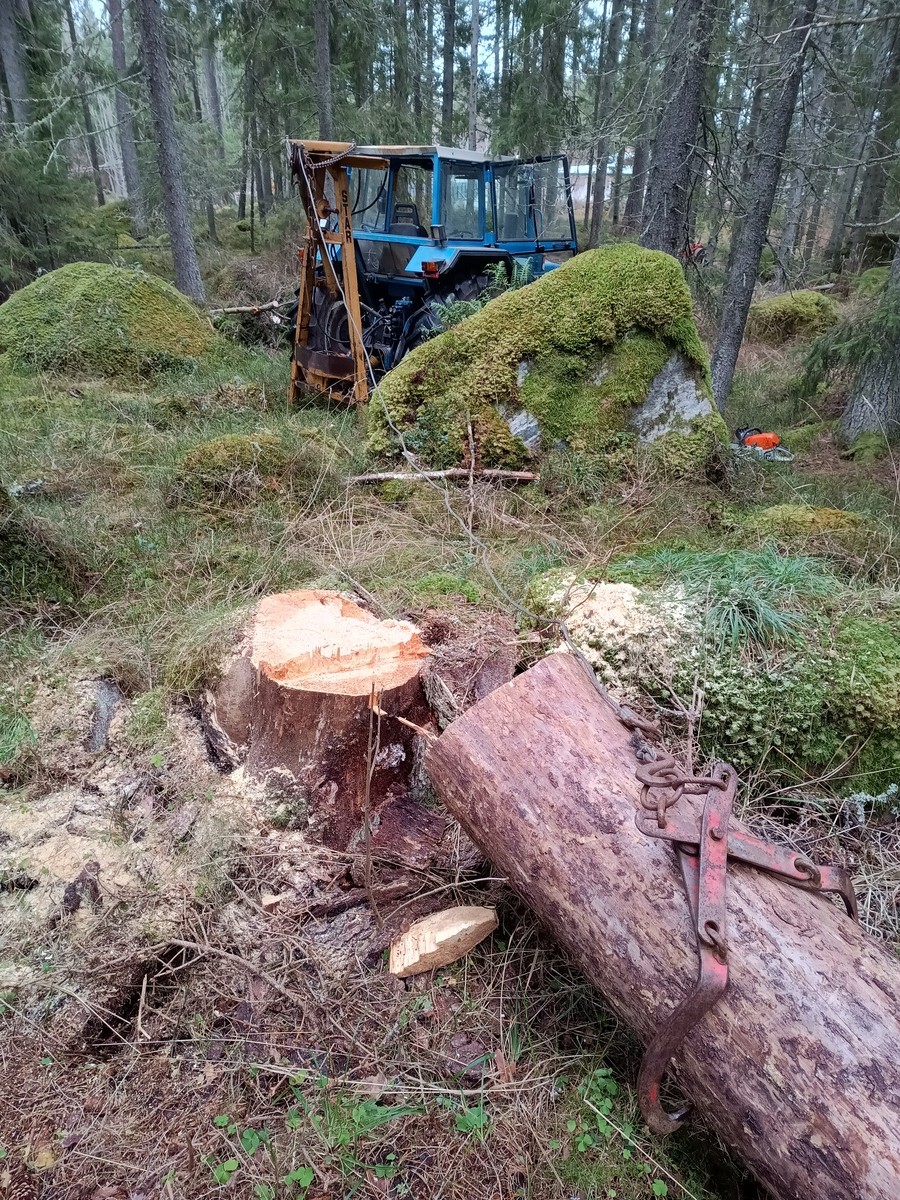
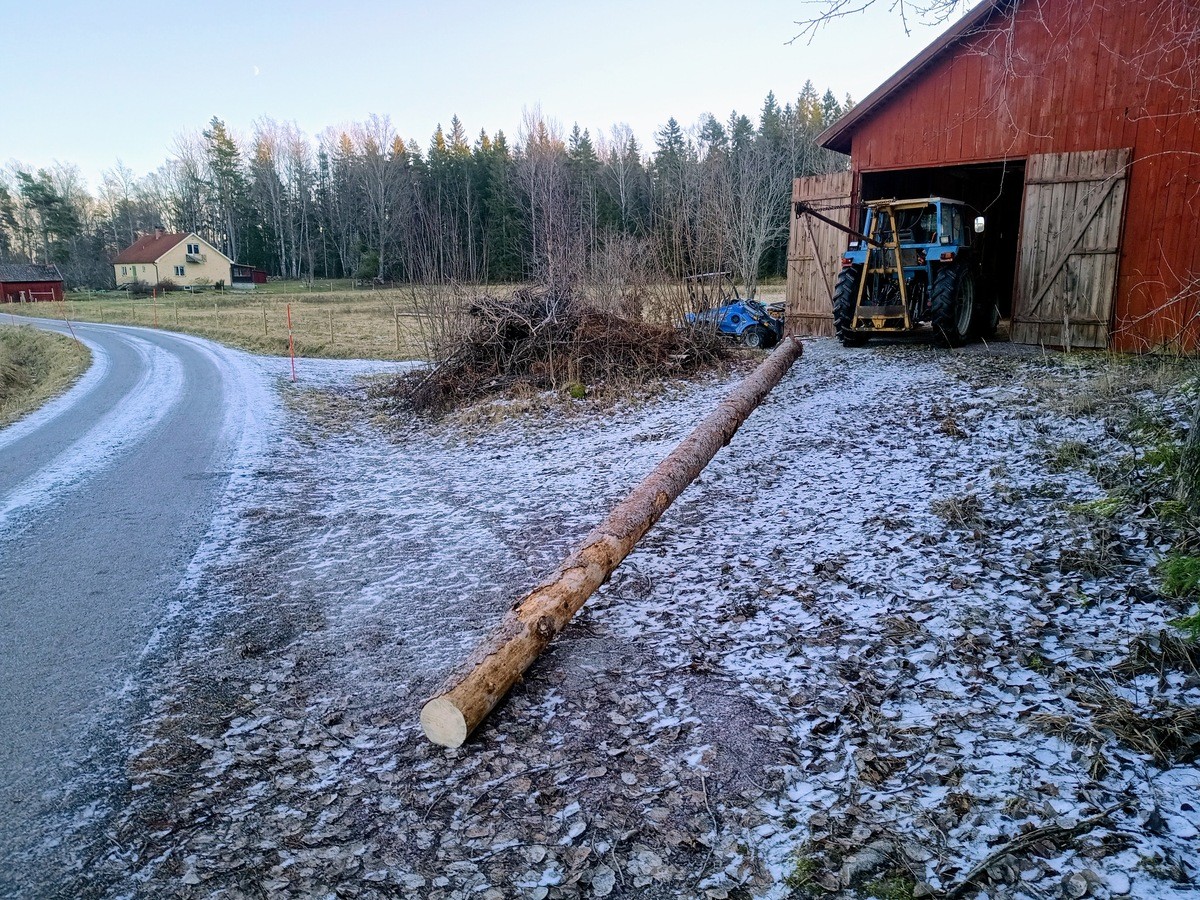
Our small farm has some forest attached, and we have a tractor from the 80s with an old winch/crane to get logs out. Earlier this year, I cleaned out an old barn and put in a Woodmizer sawmill. Autumn and winter are the right time for forest work, so I took most of yesterday to do just that.
I had felled a tree that was killed by bark beetles last summer, meaning that it has had time to dry while standing already and the lunber can be used right away. I managed to pull out a double length (~9.5m) log to the saw, just 200m away, and cut it in two there.
Then I rolled in onto the saw which turned it into 2-by-8s (50x200mm). Below are a few pictures of the process, click to enlarge. And if you happen to be local to the Östhammar region, we're open for business: info (in Swedish) at https://www.bestbo.se/sag/.



Links
Only a month ago I made my own vibe-coded hack to convert Claude Code sessions to HTML. Now Simon Willison has one-upped the game: Simply run
uvx claude-code-transcripts
and enjoy! Here's an example of how I just asked Claude to tweak the CSS of this site.
A comment on HackerNews that made me smile:
Frameworks abide by the Hollywood Principle and the Greyhound Principle: Don't call us, we'll call you. Leave the driving to us.
It's true! When using a framework one's code gets called by the framework and it usually takes care of how things are run. This is from the discussion about Avoid Mini-Frameworks, an insightful article on unnecessary mid-level abstraction layers.
How uv got so fast has quite a few hallmarks of being (co-)written by AI, but I found it a good read nonetheless. I continue to be impressed by uv and now use nothing else for running Python.

Vibe On

Here's another example for the kind of task that I no longer do myself but rather hand off to the AI, because it does it so well. I asked like this:
Let's implement a new option --fib_eff that gets a single value or a range, like 0.9 or 0.7-0.9 , in order to set the fiber efficiencies in the simulation. see fiber_efficiency.md how to do that. set the eff after loading the HDF file, dont modify it. Ranges like 0.7-0.9 are to be interpreted as a random value within that range, uniformly distributed. ask if this was unclear, othweise get crackin and iterate. example command: uv run andes-sim flat-field --band H --subslit slitA --wl-min 1600 --wl-max 1602 --fib_eff 0.5-0.95
As expected, Claude had no problem figuring this out. This the resulting commit. The image above is the ouput of that example command.
I did not have to to type anything else than the prompt above. And in doing that, I needed to get clear for myself what I actually wanted, which is always a good thing to do first. The rest is just typing.
The whole project, a CLI to make simulated spectra, was "vibe-coded" this way, me caring little about the actual code that Claude produced, only taking the occasional glance at it. It is therefore probably not great for a long-term maintained code-base, but it already does what I need it to and I have no intention to take this much further.